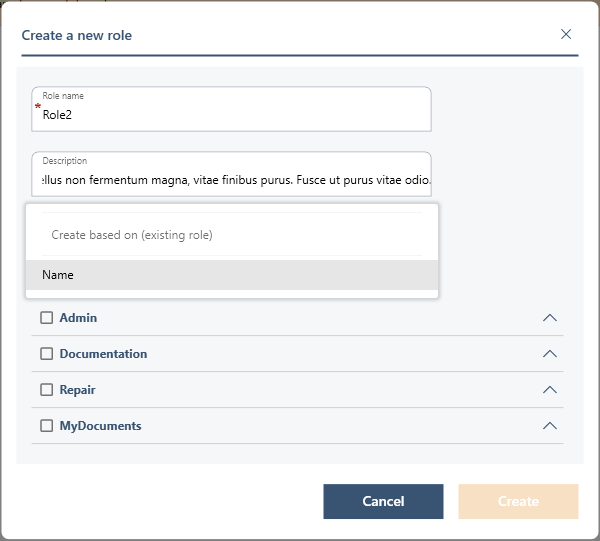
Create a role
1. In Agora, go to: Admin > Role Management
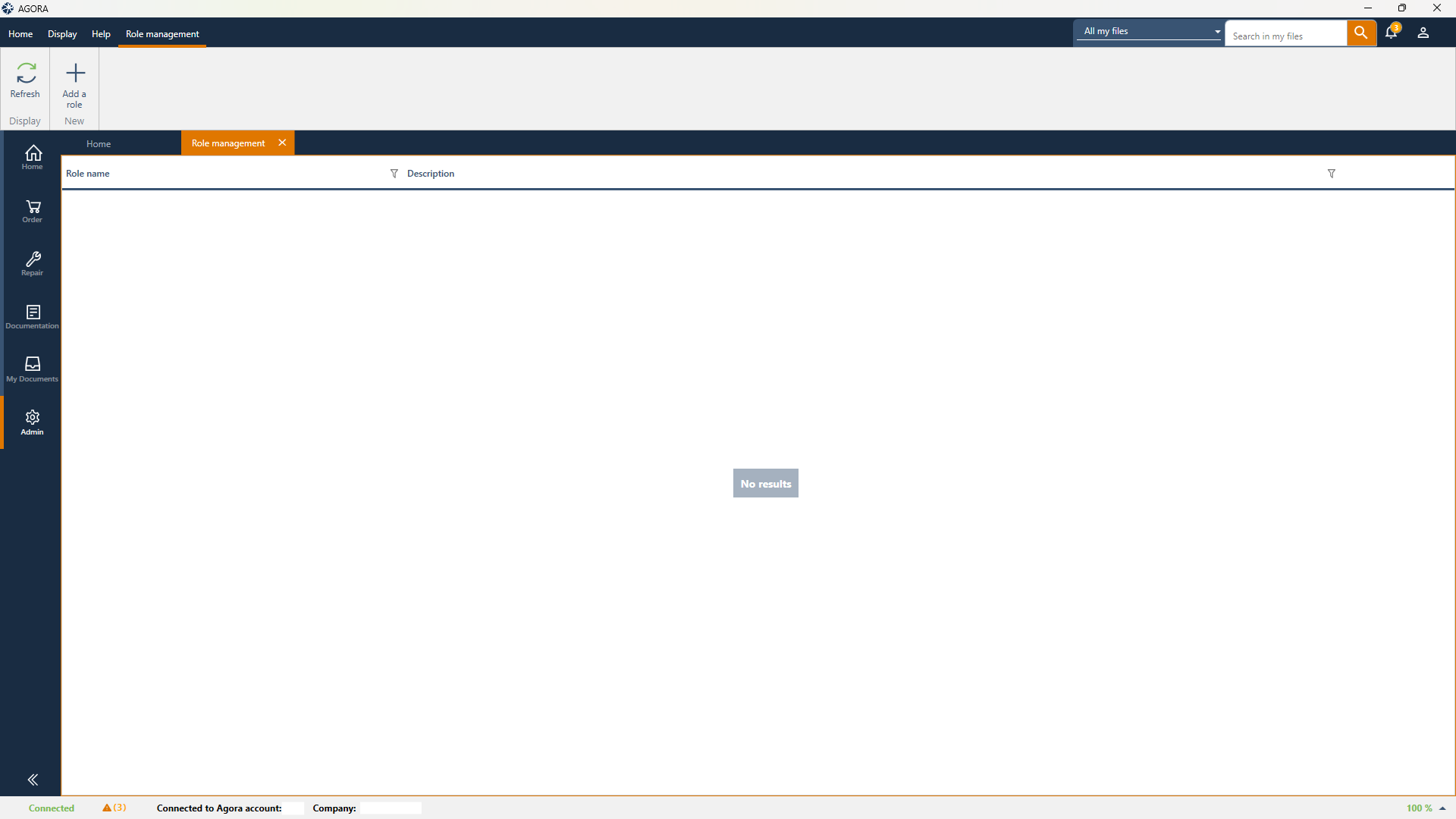 2. Click on ‘Add a role’
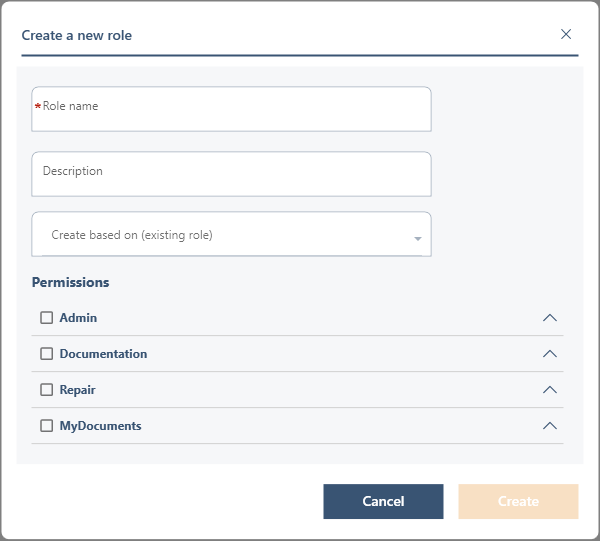 3. Please enter the following details:
- Role name (required)
- Description (optional)
Admin
- Provides access to transport management
Documentation
- Blocks access to the documentation area
Repair
- Blocks access to the intervention file
- Blocks access to authorisation
MyDocuments
- Blocks access to the My Documents tab
5. Click on ‘Create’ to confirm
Edit a role
1. In Admin > Role Management2. Identify the role to be amended
3. Click on the pen icon at the end of the line
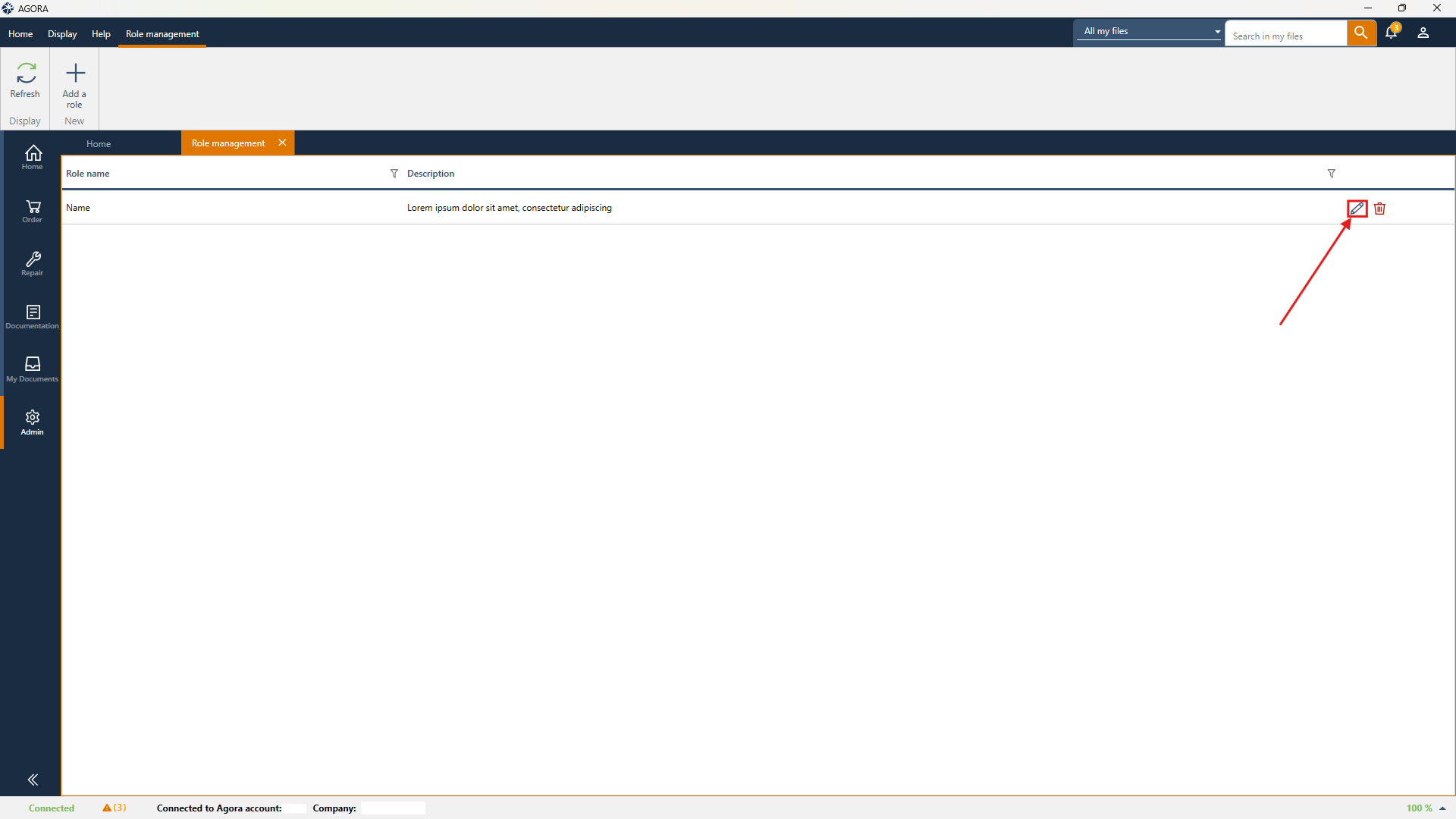
A window similar to the creation window opens
The role name cannot be edited
You can edit the permissions and the description
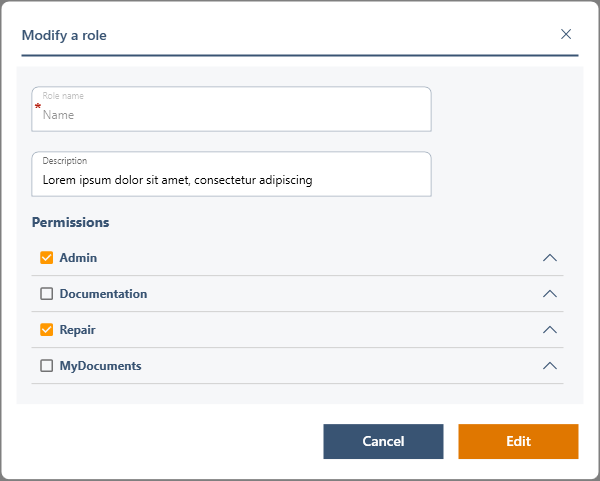
5. Save the changes
Delete a role
1. In Admin > Role Management2. Identify the role to be deleted
3. Click on the bin icon
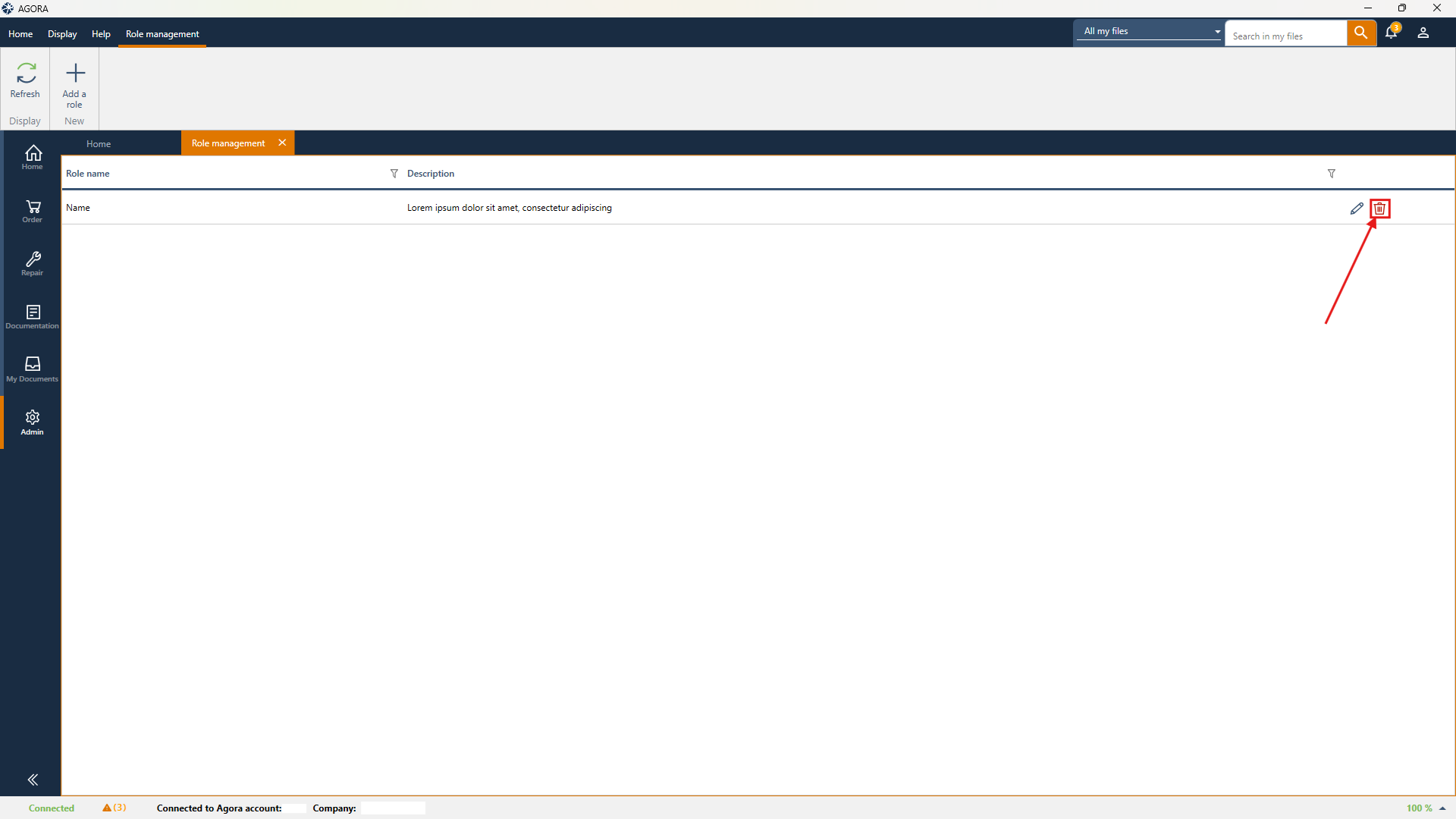
4. Confirm the deletion in the window that appears
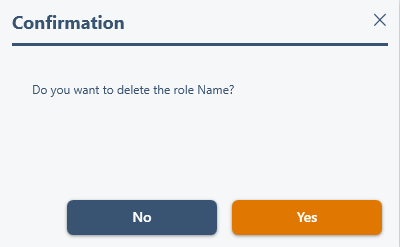
Please note: deletion is permanent and irreversible
Tip
When creating a role, you can base it on an existing role using the option:
‘Create from (existing role)’